Most apps fail not because they're poorly built, but because they're unpleasant to use. User expectations have shifted hard. People now compare every app they use to the best app they've ever used. Spotify's recommendations. Google Maps' seamless rerouting. Duolingo's sticky habit loops. The UX trends shaping 2026 are a direct response to that pressure.
Why UI/UX Trends Matter for Mobile Apps
This isn't aesthetic theory. There are real, measurable consequences to getting mobile UX wrong.
Retention takes the first hit: A confusing onboarding flow, buried CTAs, or slow transitions give users an easy reason to leave and not come back.
Conversions drop with friction: Every unnecessary tap, every unclear label, every slow load adds to the friction that kills conversion.
App store ratings suffer: Users don't write "the information architecture was poor" in reviews. They write, "This app is terrible." Same problem, different language.
Accessibility gaps shrink your audience: Apps that ignore accessibility are leaving real users out.
Good mobile UX design is a business lever, not a design preference.
Top UI/UX Trends Mobile Developers Should Follow
1. AI-Powered Personalisation
The days of showing every user the same home screen are over. AI-driven personalisation now adjusts content hierarchy, notification timing, and even button prominence based on individual usage patterns.
The key constraint: personalisation needs a privacy-first architecture. Users are more wary than ever about how their data is used. Build it transparently.
2. Voice User Interfaces (VUI)
Voice isn't just for smart speakers. It's becoming a serious UX layer in mobile apps, particularly for accessibility, hands-free use cases, and reducing tap depth on complex tasks.
The challenge with VUI is designing for failure gracefully. Voice recognition still misfires. Apps that handle misheard commands with a useful fallback experience are the ones users trust.
3. Zero-Click Navigation
Users are getting more and more used to apps being able to anticipate what they will need before they even search for it. Zero-click patterns reveal content that is contextually relevant to the user without the need for active navigation: a perfectly timed shortcut, a smart suggestion right at the time of typing, a pinned action dependent on the time of day. On the one hand, this leads to minimizing the user's mental effort, and on the other hand, it maintains the user's concentration, both ways resulting in the improvement of session quality.
4. Minimalist and Clean Design
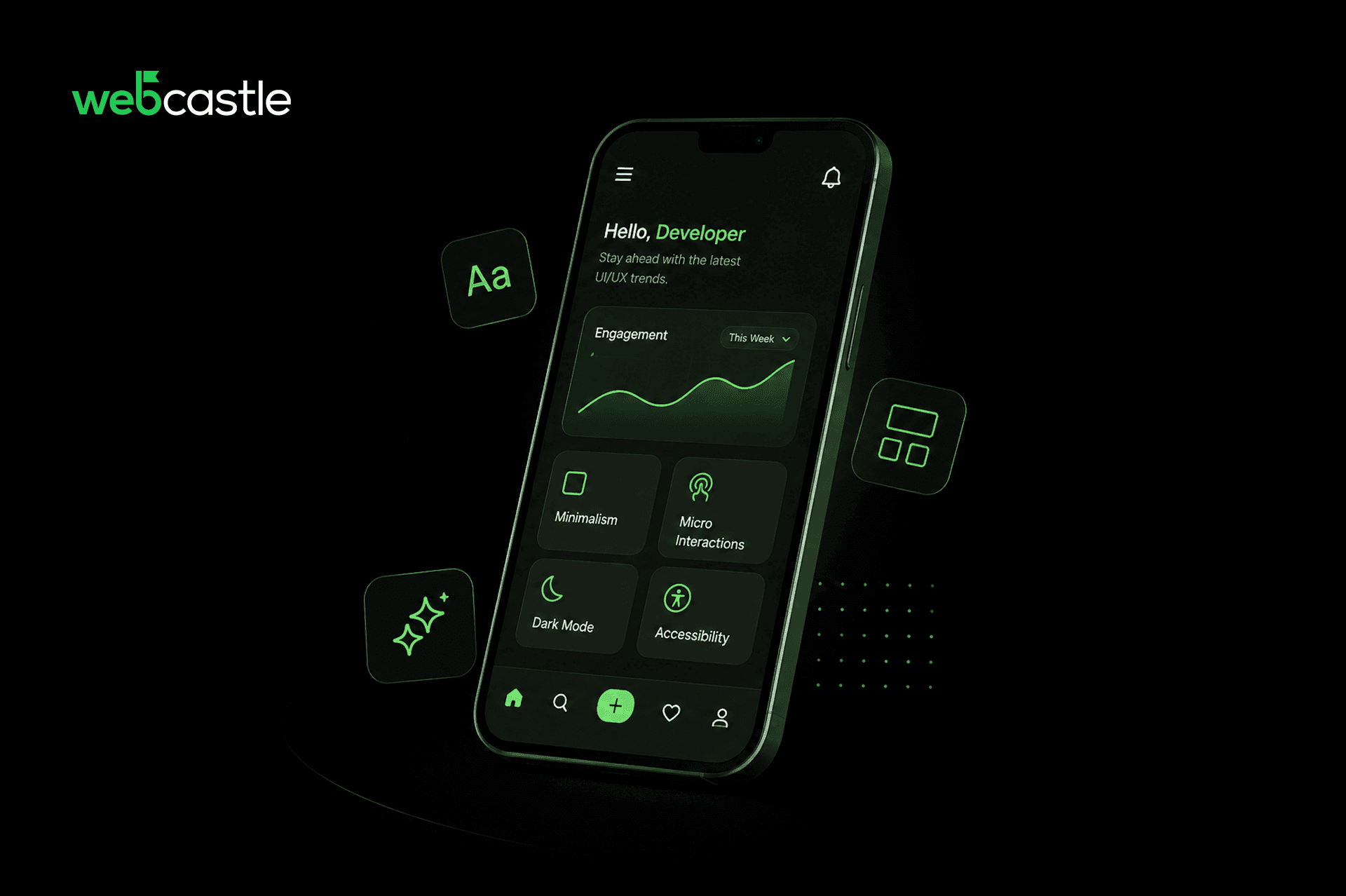
It's about cognitive minimalism: reducing the number of decisions a user has to make on any given screen. One primary action per screen. Clear visual hierarchy. Progressive disclosure for complex features.
The measure of good minimalist design is how quickly a first-time user can complete their first meaningful task.
5. Dark Mode Optimisation
Dark mode has moved from a feature to a baseline expectation. Users toggle between light and dark depending on the environment and time of day. Apps that don't support it, or implement it poorly with washed-out colours and inconsistent contrast, feel dated.
The design work here is not just inverting a colour palette. It requires deliberate contrast ratios, separate icon sets, and testing across both modes before launch.
6. Microinteractions and Animations
A well-placed animation does something text can't: it confirms that something happened. Button tap feedback, loading state transitions, subtle progress indicators. These micro signals reduce user anxiety in moments where the app is processing.
Anything that lags on a mid-range Android device should be simplified or removed. Animations that slow the app down are worse than no animations at all.
7. Inclusive and Accessible Design
WCAG 2.2 compliance is no longer a legal checkbox in specific markets. It's becoming standard practice in enterprise app contracts, and users across demographics benefit from it.
Accessible design also happens to make apps easier to use in difficult conditions: bright sunlight, one-handed use, and loud environments. It's a good design, full stop.
8. Gesture-Based Navigation
Apps that place primary navigation and core actions in this zone reduce physical effort and make the experience feel natural.
Swipe-to-dismiss, pull-to-refresh, and bottom-centric tab bars are the practical expressions of this trend. The design principle underneath: stop designing for where thumbs can reach if you stretch, and start designing for where they already are.
9. Advanced Security and Privacy Features
Biometric authentication (Face ID, fingerprint) has become the standard for apps dealing with sensitive information. However, besides just the login features, users now also require in-app privacy settings: they want to know the data that is being collected, they should be able to easily opt out, and the policies regarding data retention should be quite clear.
Best Practices for Implementing Modern UI/UX
It is not enough to make design decisions based on trends only.
Prioritise user-centred design. The user journey should be your starting point, not the screen layout. What is the user trying to accomplish? Where do they stall? Design solves those friction points first.
Conduct regular usability testing. Internal opinions are not user data. A five-person usability session will surface more insight than a month of internal review. Run tests on real target users, on real devices, including mid-range Android phones that dominate many markets.
Optimise for performance across devices. A design that works beautifully on a flagship iPhone and breaks on a mid-range device is not finished. Test on the full range of your actual user base's hardware.
Conclusion
The apps that hold user attention are not necessarily the most feature-rich. They're the ones that respect the user's time, reduce friction at every step, and feel like they were built by people who actually use apps themselves.
Staying current with UI/UX trends is not about chasing what's new. It's about knowing which shifts in user behaviour and expectation are durable enough to build on.
If you're planning a new mobile app or auditing an existing one, the right design partner makes a significant difference to both the process and the outcome. WebCastle Media, one of the leading web design companies in India, works across mobile and web projects with a focus on design that performs, not just design that looks good. For more details, call +91 484 405 2626 or email sales@webcastle.in.
FAQs
Why is UI/UX important for mobile applications?
Because functionality is now assumed. What determines whether users keep or delete an app is how it feels to use. Poor UX is the leading reason users abandon apps, ahead of performance issues and pricing.
How often should mobile apps update their UI/UX design?
Major redesigns every 12-18 months, with smaller iterative improvements running continuously based on analytics and user feedback. Waiting too long between updates allows usability debt to accumulate.
Is dark mode still a popular mobile UI trend?
It's no longer a trend in the sense of something optional or emerging. It's a standard expectation. The design work now is implementing it properly, with correct contrast ratios and consistent rendering, rather than deciding whether to include it at all.